Workflow Templates
Ready-to-use n8n workflows built by automation experts. Download, import, and start automating.
Ready-to-use n8n workflows built by automation experts. Download, import, and start automating.
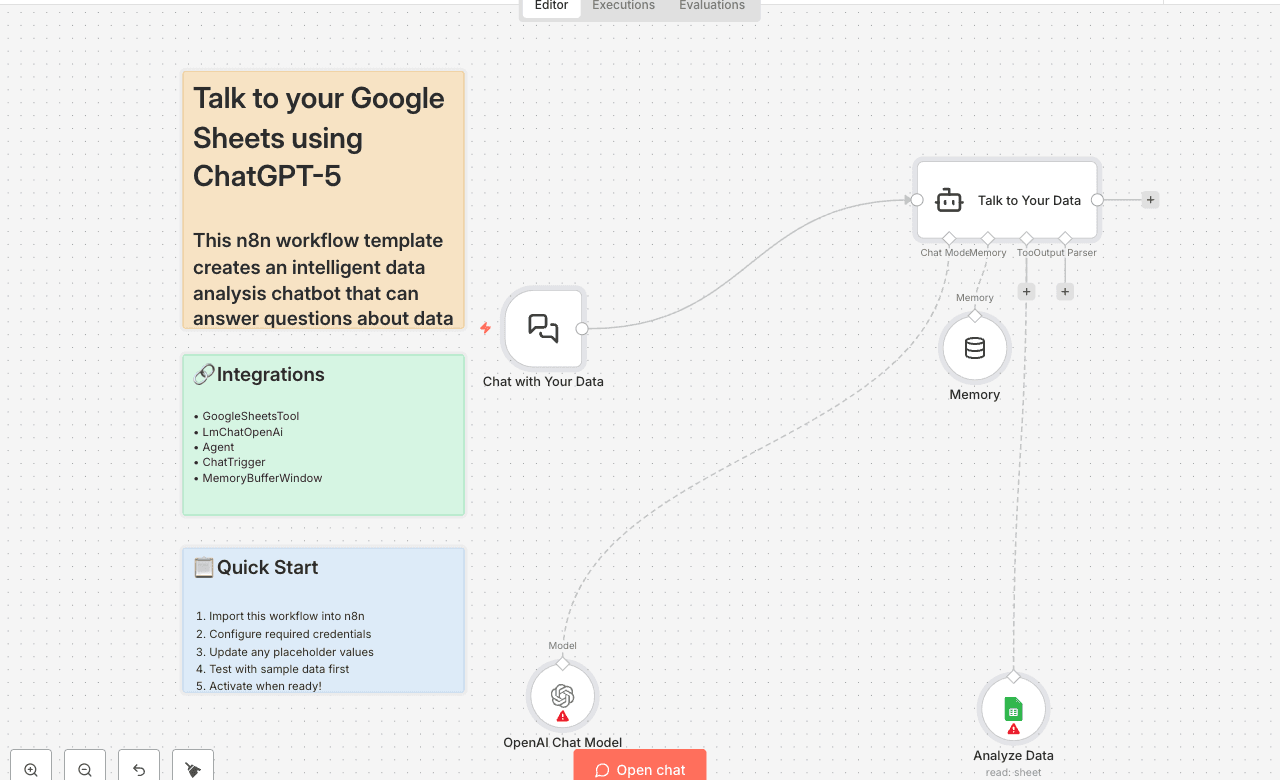
This n8n workflow template creates an intelligent data analysis chatbot that can answer questions about data stored in Google Sheets using OpenAI's GPT-5 Mini model. The system automatically analyzes your spreadsheet data and provides insights through natural language conversations.
What This Workflow Does
🚀 Try It Out!
Get Your API Key
Visit the [OpenAI API Keys] page.
Go to [OpenAI Billing].
Add funds to your billing account.
Copy your API key into your OpenAI credentials in n8n (or your chosen platform).
Prepare Your Google Sheet
Connect Your Data in Google Sheets
You can ask natural language questions to analyze your marketing data, such as:
📬 Need Help or Want to Customize This? 📧 rbreen@ynteractive.com 🔗 [LinkedIn] 🔗 [n8n Automation Experts]