Workflow Templates
Ready-to-use n8n workflows built by automation experts. Download, import, and start automating.
Ready-to-use n8n workflows built by automation experts. Download, import, and start automating.
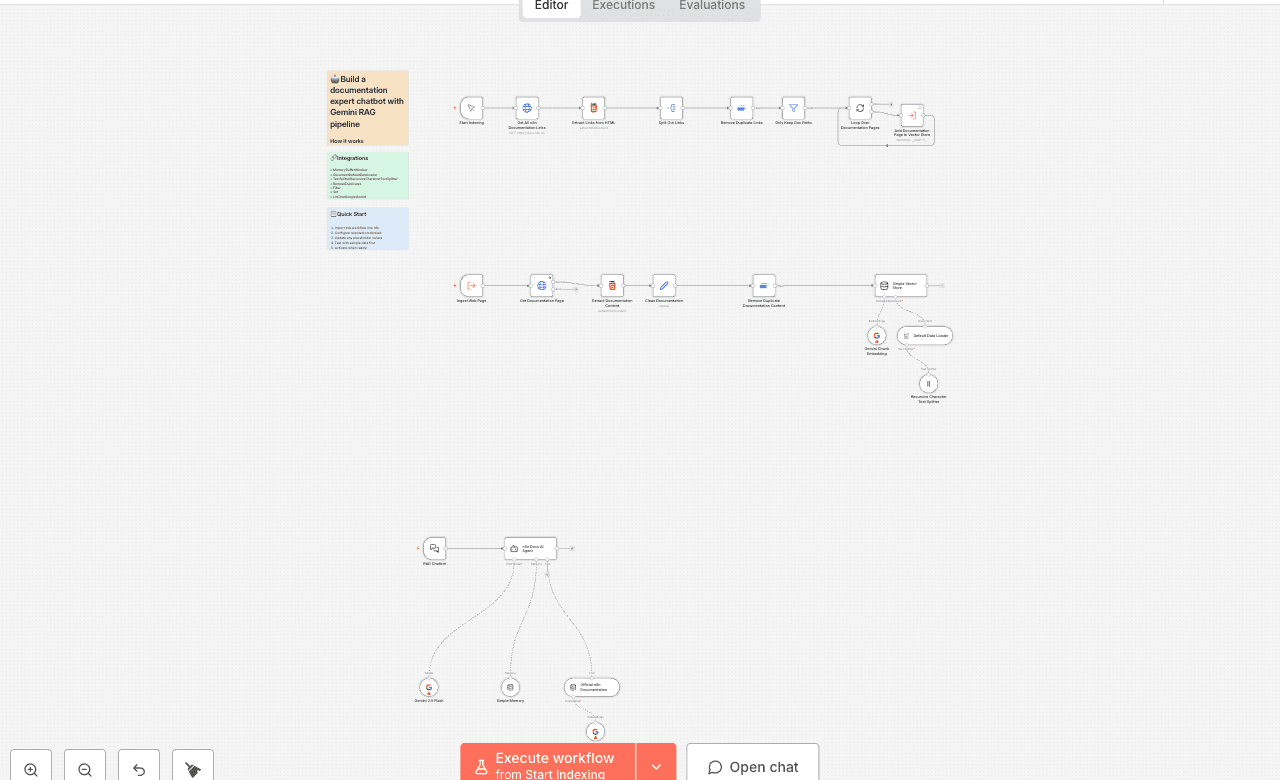
How it works
This template is a complete, hands-on tutorial for building a RAG (Retrieval-Augmented Generation) pipeline. In simple terms, you'll teach an AI to become an expert on a specific topic—in this case, the official n8n documentation—and then build a chatbot to ask it questions.
Think of it like this: instead of a general-knowledge AI, you're building an expert librarian.
The workflow is split into two main parts:
Important: This in-memory knowledge base is temporary. It will be erased if you restart your n8n instance, and you will need to run the indexing process again.
Set up steps
Setup time: ~2 minutes (plus ~15-20 minutes for indexing)
This template uses n8n's built-in tools, removing the need for an external database. Follow these simple steps to get started.
Configure Google AI Credentials: You will need a Google AI API key for the Gemini models. In your n8n workflow, go to any of the three Gemini nodes (e.g., Gemini 2.5 Flash). Click the Credential dropdown and select + Create New Credential. Enter your Gemini API key and save.
Apply Credentials to All Nodes: Your new Google AI credential is now saved. Go to the other two Gemini nodes (Gemini Chunk Embedding and Gemini Query Embedding) and select your newly created credential from the dropdown list.
Build the Knowledge Base: Find the Start Indexing manual trigger node at the top-left of the workflow. Click its "Execute workflow" button to start the indexing process. ⚠️ Be Patient: This will take 15-20 minutes as it scrapes and processes the entire n8n documentation. You only need to do this once per n8n session. If you restart n8n, you must run this step again.
Chat with Your Expert Agent: Once the indexing is complete, Activate the entire workflow using the toggle at the top of the screen. Open the RAG Chatbot chat trigger node (bottom-left) and copy its Public URL.